

-
How much time does it take?: section 1
-

How you manage time as a student and a designer is a core skill and not that different for both roles.
Learning to become a designer depends on developing experience as a designer, something that depends on the time you put into it and how you manage your learning.
As a professional designer you are also constantly managing time - whether it's project deadlines, organising your own time, or maintaining a work-life balance.
-
-
Study time
-
All OU design modules are based on similar time allowances: 20 hours per week of study time.
We break this down into:
12-14 hrs of course material: watching videos, reading, activities, tutorials, assignments for assessment, etc.
6-8 hrs of student-directed activity: project/creative work, further study, browsing in studio, following your interests, etc.
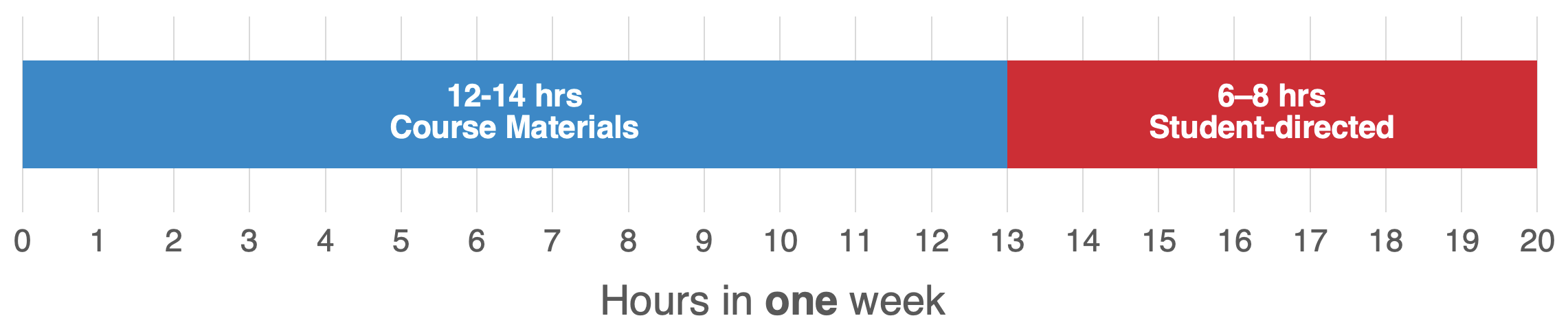
This is a significant time commitment and it's worth thinking about how you might manage that - how to divide it up, plan for it, and work out if you'll have enough of it.
Use the next activity to help you work out if you'll have enough time for OU study - and enough time for yourself, too!
-
-
Activity: Do you have the time?
-
You can think about the time you need for study by breaking it up into 'chunks' of time and the type of things you do. For example, thinking about the time you spend: with family, at work, doing chores, having leisure, commuting, and so on.

Next, create a time planner or calendar (or sketch one out) and try to see where you could place those chunks. Try using a visual method to block out time, like colouring in squares in a timetable, like the one shown in image below.
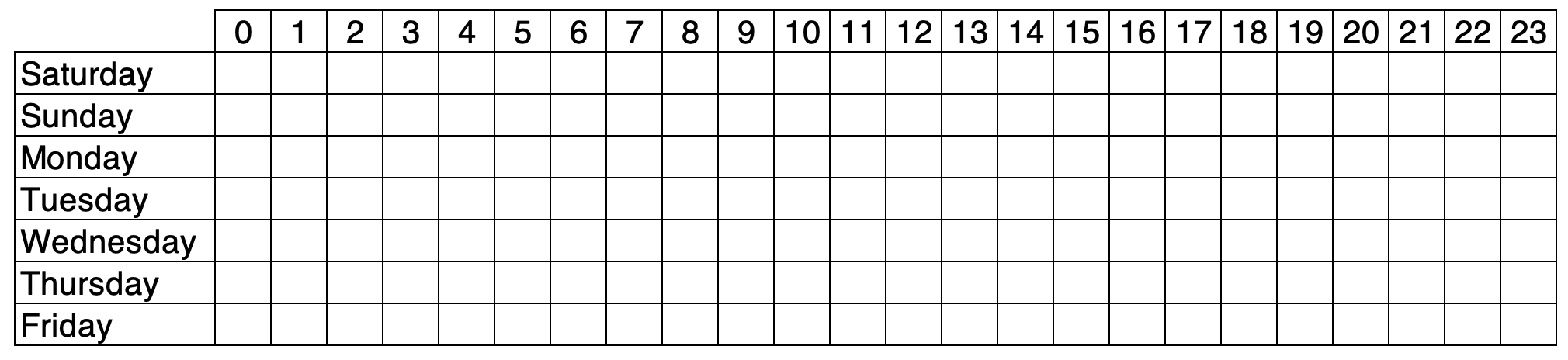
You can download a PDF of that table further down the page.
Here's an example of it printed and coloured to plan out time chunks:

If you find it hard to work with this level of detail, another method is to try splitting the time you need into bigger chunks of time. Then ask yourself: "In one week will I be able to find enough space for these bigger chunks, like:
5 chunks of 4hrs (that's 20 in total)
3 chunks of 6 hrs (that's 18 in total)"
Click on the link below for a downloadable PDF of the time planner table.
-
Use this blank weekly planner to find out if you have time for OU study.
-
-
Are you ready?
-
For a more detailed time planning method give the OU's Time Calculator a go.

When you're ready to begin you design journey:
-